Service accounts
Overview of Stashbase service accounts
Service accounts in Stashbase are specialized accounts that allow applications or services to authenticate and interact with the Stashbase API without the need for user credentials. These accounts are not tied to any individual user, making them ideal for automated processes, background services, or server-to-server communication.
Each service account is assigned a unique identifier and can be granted specific permissions to resources, ensuring that it has access only to the resources necessary for its function. This principle of least privilege enhances security by minimizing the potential attack surface.
Service accounts can be used for various tasks, such as managing resources, accessing APIs, and performing automated tasks.
By using service accounts, organizations can streamline their workflows while maintaining a high level of security and control over their Stashbase environment.
Required roles
To manage (view, create, update, delete) service accounts, use must have Owner or Admin role in the workspace.
Creating a service account
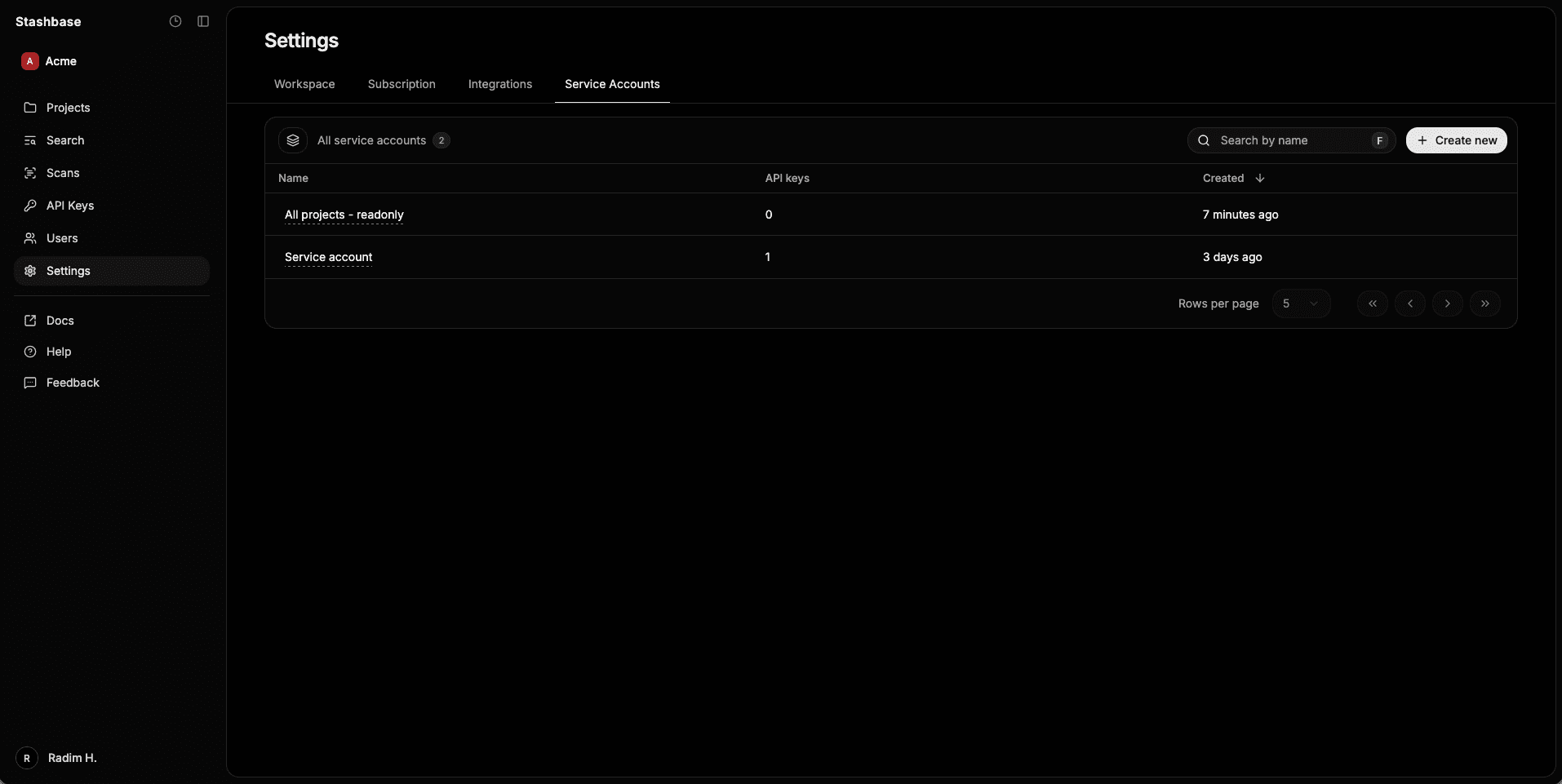
To create a service account, you can navigate to the Stashbase dashboard then to service accounts (settings) and there you can click on the Create new button.
Each service account has unique ID, unique name and optional description.
Access
Service account can have associated workspace-level access permissions (like projects.read or projects.write) and specific project-level access permissions (like environment.read or secrets.write). You can grant acess to individual projects and resources within the projects (like environments, secrets, webhooks, etc.).
IP Allowlist
To restrict access using the service API Keys, you can define a list of IP addresses that are allowed to use the service account (authenticate using the service API Key).
IP addresses must be in CIDR notation, using either IPv4 or IPv6 format. You can also use 0.0.0.0/0 or ::/0 to allow all IP addresses.
If there are no IPs defined in the allowlist, the request using the service API Key will be accepted from any IP address.
API Keys
To authenticate using the service account, you can generate an API Key. API Key is a string of characters that uniquely identifies the service account and is used to authenticate requests to the Stashbase API.
To generate an API Key, you can navigate to the service account details page, then to the API Keys tab and click on the Create new button.
You can also set expiration date for the API Key so it will be automatically revoked on the specified date.
Each API key can be revoked at any time, which will immediately invalidate the key and prevent any further use. API key can be alos temporarily disabled and later re-enabled if needed.