Secrets
Overview of Stashbase secrets
In each environment you can store secrets like API Keys, database credentials, etc. Each secret consists of a name and a value and optional comment. Every change you make to the secret's name or value will be tracked and persisted in the changelog. You can easily revert those changes later. All secrets are encrypted and securely stored in the database.
Format
Each secret is stored in a name and a value pair and can have an optional comment. The name must be alphanumeric uppercase string with no spaces or special characters (e.g. API_KEY or DB_PASSWORD) and canot start with a digit. Names must be at least 2 characters long amd maximally 255 characters long. The value can be any string, but it must not exceed 16 KB when encoded as UTF-8. Stashbase is smart enough to autoformat the names as you type them.
Here are some examples of valid and invalid secret names:
- Invalid:
db_passsword - Invalid:
DATABASE-URL - Valid:
DB_PASSWORD - Valid:
DATABASE_URL
References
Stashbase also supports secrets referencing so you can easily refer to other secrets in the same environment. You can reference secrets using the following surrounding characters (just like in dotenv files) ${NAME}.
Secrets cannot reference themself. Stashbase is smart enough to warn you about invalid (wrongly formatted) or not found references (in the web dasboard or using the CLI). Our SDKs and CLI support expanding those references to their values or returning the secrets as plain text.
Example
Here is an example of referencing another secrets:
DB_PORT=5432
DB_USER=admin
DB_NAME=postgres
DB_HOST=localhost
DB_PASSWORD=mypassword
DB_URL=postgresql://${DB_USER}:${DB_PASSWORD}@${DB_HOST}:${DB_PORT}/${DB_NAME}
Multiline secrets
Stashbase supports multiline secrets by default. Using the web dasbhoard you can easily create multiline secrets with the Enter key when editing the values.
Backslashes that are part of the secret value are escaped automatically as well \\ in the dotenv format.
Dotenv format
When you are editing secrets in the dotenv format (with CLI or using web dasbhoard), multiline secrets must begin with double quotes and end with double quotes.
If there are any double quotes inside mutliline secret and not at the end of the line, it will automatically escaped as \".
If you add double quotes at the end of the line, it marks the end of the multiline secret so if you want to preserve them as part of the secret, you need to escape them as well \".
With Stashabse libraries you can use multiline string literals or use new line character \n to create new lines.
Check out example of how to use multiline secrets with CLI.
Examples
Here are some examples of multiline secrets in the dotenv format:
SSL_CERTIFICATE="-----BEGIN CERTIFICATE-----
MIIBIjANBgkqhkiG9w0BAQEFAAOCAQ8AMIIBCgKCAQEA7wvZdf8Y1X+7fHtCxFNh
FsG7DbcCeG6fRro3D9EDQ2WxNs2t6HvOkfFrrqaX52zj3OtGVxFfOd2ZhZ9t7sf+
5l5kgOZHqIbVltEj9HkR9rkNSvud8VfMyV29M8WqF+88oPaoyxKjXExsxtTKnMKX
-----END CERTIFICATE-----"

PRIVATE_KEY="-----BEGIN PRIVATE KEY-----
6HvOkfFrrqaX52zj3OtGVxFfOd2ZhZ9t7sf+5l5kgOZHqIbVltEj9HkR9rkNSvu
d8VfMyV29M8WqF+88oPaoyxKjXExsxtTKnMKXYTO2xtJHyFj69zRU1leHSlD0OH
...
-----END PRIVATE KEY-----"
YAML format
With Stashbase CLI you can also use the YAML format to output/read secrets including multiline ones.
To do that, you use the pipe symbol | to mark that the secret is multiline followed by the indented secret value.
If there are any double quotes inside those multiline secrets they will be automatically escaped as \", including the ones at the end of the line.
Examples
Here are some examples of multiline secrets in the YAML format:
SSL_CERTIFICATE: |
  -----BEGIN CERTIFICATE-----
  MIIBIjANBgkqhkiG9w0BAQEFAAOCAQ8AMIIBCgKCAQEA7wvZdf8Y1X+7fHtCxFNh
  FsG7DbcCeG6fRro3D9EDQ2WxNs2t6HvOkfFrrqaX52zj3OtGVxFfOd2ZhZ9t7sf+
  5l5kgOZHqIbVltEj9HkR9rkNSvud8VfMyV29M8WqF+88oPaoyxKjXExsxtTKnMKX
  -----END CERTIFICATE-----

PRIVATE_KEY: |
  -----BEGIN PRIVATE KEY-----
  6HvOkfFrrqaX52zj3OtGVxFfOd2ZhZ9t7sf+5l5kgOZHqIbVltEj9HkR9rkNSvu
  d8VfMyV29M8WqF+88oPaoyxKjXExsxtTKnMKXYTO2xtJHyFj69zRU1leHSlD0OH
  -----END PRIVATE KEY-----
Comments
Each secret can have an optional comment asssociated with it. The comment can be referred to as a comment in plain text files (dotenv, YAML). Comments can be single line or multiline.
Comments are formatted in the way that empty lines at the beginning and at the end are automatically removed but preserved if they are inside the comment. All trailing whitespace is also automatically removed for each line. Leading whitespaces are preserved.
Changes (history)
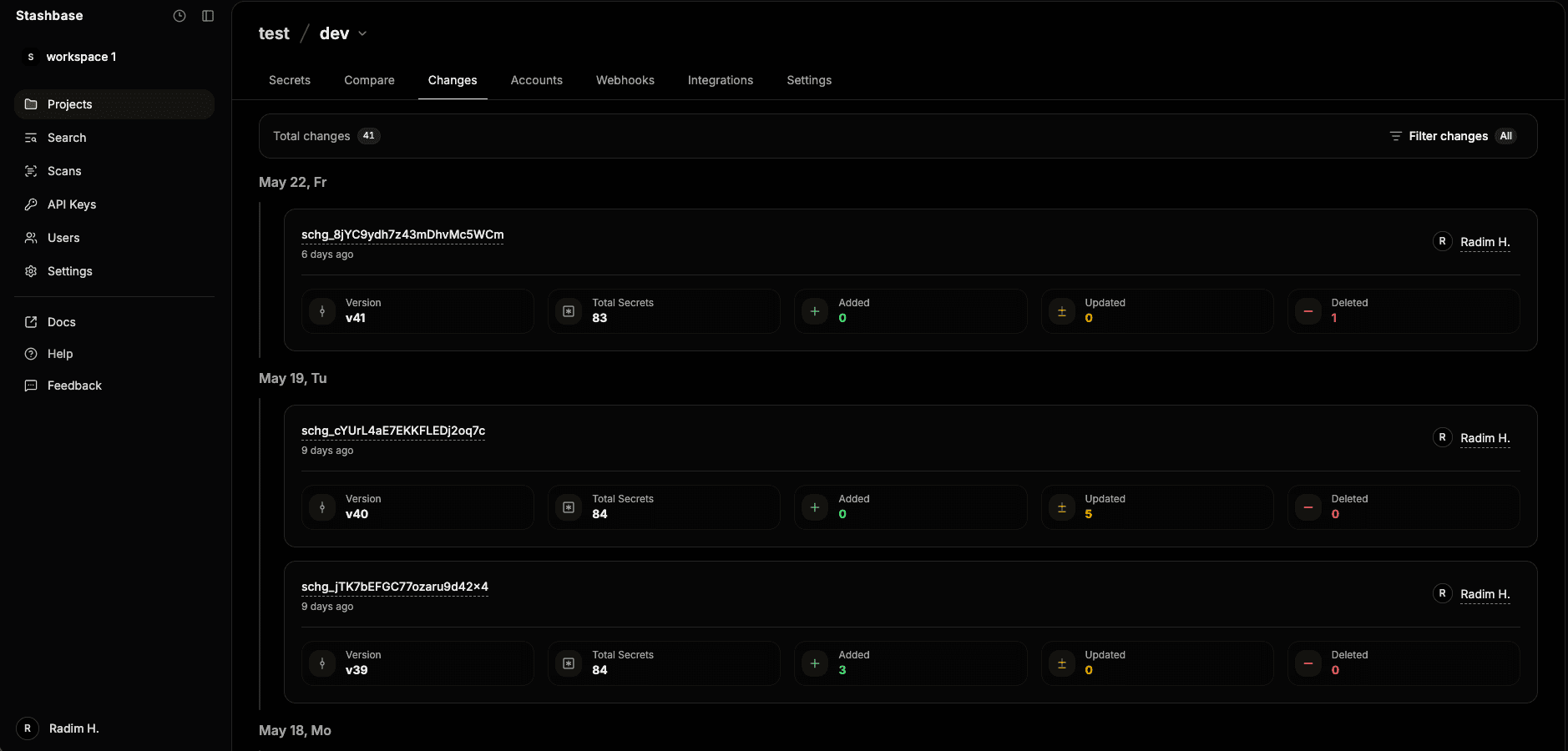
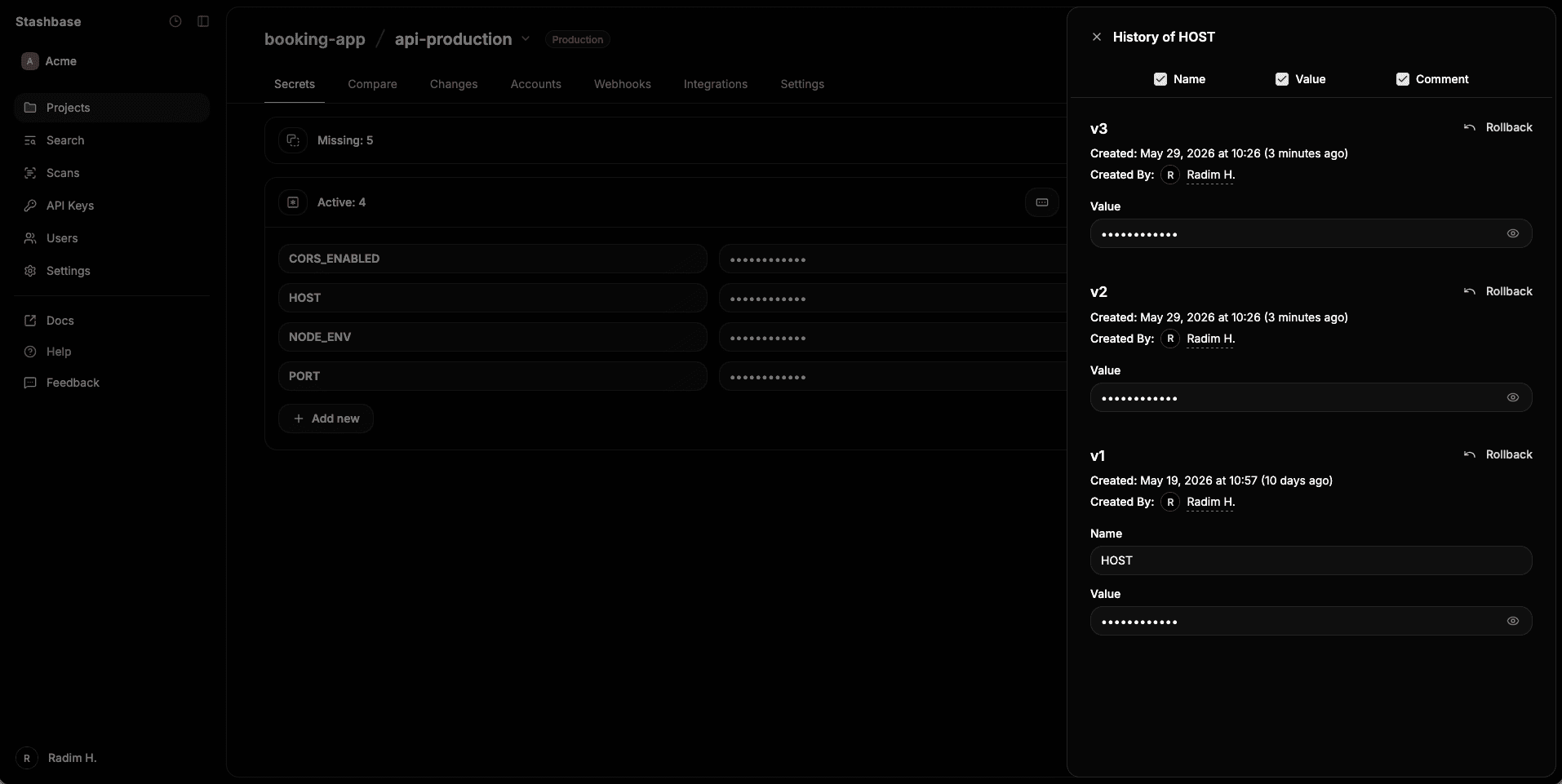
All secret changes are tracked and persisted in the changelog for each environment. You can access and manage these changes through:
-
Environment-wide changes
- Navigate to the
Changestab in your environment - View a complete list of all secret modifications
- Examine diffs, compare states, and see the full state after each change
- Rollback to any previous state
- Navigate to the
-
Individual secret changes
- Go to the
Secretstab - Click the
historyoption for any specific secret - View and manage changes for that particular secret
- Go to the