AI Environment Chat
AI-assisted environment analysis and draft configuration in the secrets UI
AI Environment Chat is built into the environment secrets UI and helps you inspect metadata, reason about operational patterns, and draft changes faster.
It is intentionally non-autonomous: the chat suggests draft actions, and you decide what to apply.
To open it in the dashboard, go to Project -> Environment -> Secrets and click ASK AI in the bottom-right corner.
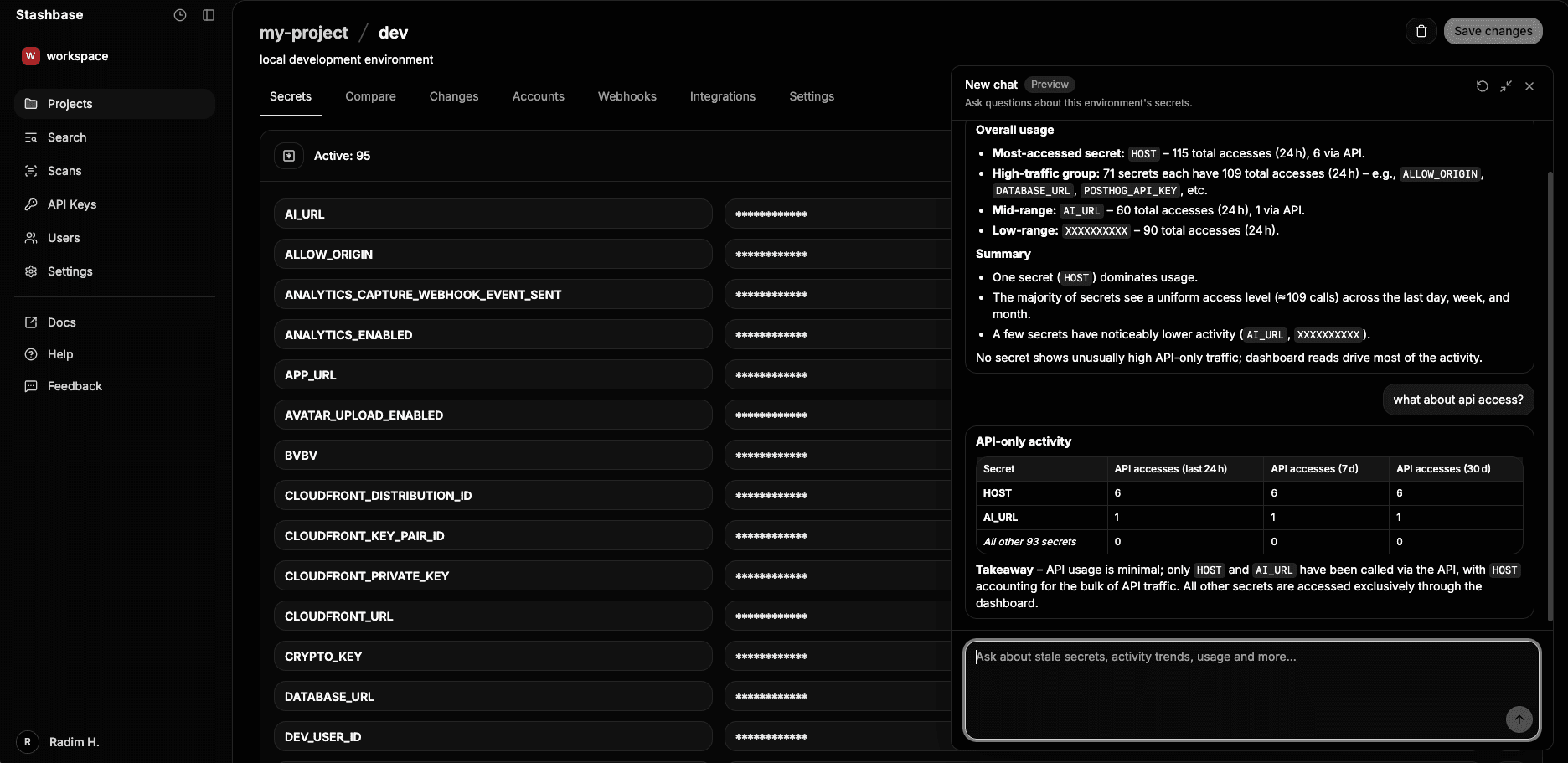
Overview
Use AI Environment Chat when you want to:
- Ask operational questions about secret metadata.
- Analyze usage and activity patterns.
- Find stale or recently updated secrets.
- Compare API access patterns vs dashboard access patterns.
- Understand secret naming groups and environment structure.
- Draft environment changes conversationally before editing.
What the AI can analyze
The chat is metadata-aware and supports analysis such as:
- Secret recency (stale vs recently updated).
- Access and usage patterns.
- Grouping by naming/category conventions.
- Detection of placeholders, test keys, or naming inconsistencies.
- Gaps in expected configuration for common integrations.
The AI is metadata-aware, not infrastructure-aware. It does not inspect your runtime systems, cloud resources, or deployed application state.
Draft environment changes
The AI can propose draft actions in the current environment:
- Create secrets.
- Delete secrets.
- Rename secrets.
- Normalize secret names.
- Suggest missing configuration secrets.
These are draft suggestions only. They are never executed automatically.
Review and apply flow
AI suggestions follow the same review-first workflow as manual edits:
- Ask in chat and review the proposed draft changes.
- Accept, reject, or adjust each suggested change.
- Accepted changes are applied to local draft environment state only.
- Persist the draft by saving the environment as usual.
This keeps all control in your hands and avoids autonomous mutation of environment data.
Security model
All requests are going throught private Azure Foundry endpoints and are encrypted in transit. The AI does not have access to secret values, only metadata and names. Draft actions are never auto-applied, and every change requires explicit user review and acceptance.
AI Environment Chat has strict data boundaries:
- Secret values are never sent to the LLM.
- The AI only receives secret metadata and secret names.
- Secret names are encrypted at rest in the database.
- Draft actions are never auto-applied.
- Every change requires explicit user review and acceptance.
Example prompts
Operational questions
Which secrets are stale?What secrets are related to Stripe?Show the most accessed API secrets
Analysis queries
Which secrets were recently updated in the last week?Compare dashboard access patterns against API access patternsGroup secrets by naming prefix and show outliers
Scaffolding and configuration requests
Scaffold Railway integration secretsSuggest missing configuration secrets for Stripe webhooksPropose baseline secrets for a Node API service
Rename and normalization workflows
Normalize GitHub-related secret namesRename inconsistent DB secret names to a common patternRemove placeholder or test secrets
Limitations
- The chat does not read or reason over secret values.
- Suggestions are based on available metadata and naming context.
- The AI does not perform infrastructure discovery.
- It does not auto-execute changes or bypass normal save/review flow.
- Human review is required for every accepted change.